Reduction of
operational costs
operational costs
Reduction of
waiting time
waiting time
KPIs gained
 yournextgreatidea
 }
}We are a driven, fun and highly skilled team supporting companies with digital transformation, custom software development and connected vehicle expertise.
Do you remember the childhood moment when you received your first pocketknife or bike? A moment where you suddenly felt that you can build anything and go everywhere. That's how our clients feel when they start working with us.
Case Study
We were asked to remove the manual communication steps involved in handling of Porsche Austria's breakdown roadside assistance cases, which are handled jointly with their partners ÖAMTC and Assist.
As part of a forward-looking IT-project, we found an incredibly competent and reliable partner in OR, who was able to support us in our projects in an impressive way. The cooperation was always positive and I am already looking forward to the next projects.
Rock paper scissors is fun to play but they are hard to work with. Transforming analog workflows into digital and optimized processes and tools saves resources, reduces complexity and the likeliness of errors.
Since more than 12 years we create partnerships with companies everywhere in the world and help them transforming, building and establishing digital processes and products so they can successfully grow into the future.
We know a lot and are quick learners. Together with our partners we analyse their existing workflows and processes and create concepts for a digital twin that are not just particularly crafted for their market specific challenges but also produce entirely new opportunities for them.
Let's carry over the excitement from planning to implementation where we let a vision rise into something truely meaningful and build the things you need and always wanted. Find out more about it here.
Change is meaningless without adaption. Together with our customer we work out precise conversion and integration plans so that everyone affected understands the goals and experiences the innovations as something positive.
After the sucessful launch we stay with our partners and will monitor and maintain everything we've built together so they can safely continue their journey and focus on the new opportunities.
Get in touch
Case Study
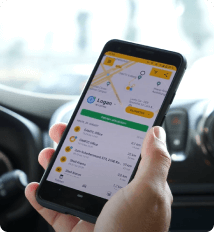
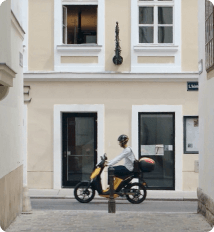
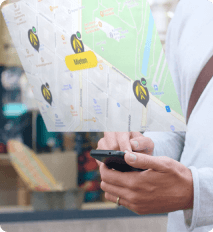
Over the past 7 years, OR has launched a variety of successful connected vehicle solutions - from a complete scooter sharing platform to event- based processing of IoT device data for end users and business intelligence applications.
DRVN and OR have been working together since the founding days of DRVN and the relationship our teams forged made the collaboration feel like if we were one company. OR's team was extremely knowledgeable and helped us deliver a very complex rewrite of a legacy connected vehicle system.
Leverage our 7 years of experience in developing connected vehicle solutions to transform your IoT or Connected Vehicle program. Whether it's architecture consulting, help evaluating your data, or developing a system from the ground up.
Whether you're starting from scratch or have an existing system that processes data from devices, either way you may want to pick the brain of our architects to find out if your system is future-proof. We are also very proficient in handling consents and GDPR data.
In need of a complete connected car or IoT system? From ingesting device data, managing consent and GDPR, to setting up your stream & batch processing infrastructure including BI dashboarding in the cloud - our app developers will create a sophisticated end-user app for you.
Do you have a lot of data and want to use it 100% to take effective and efficient action in your business? Our Data Scientist and UX specialists make sure you get the most out of your data, in an easy-to-consume way.
Get in touch
Case Study
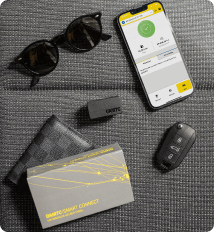
DRVN, together with its partners ÖAMTC, the AA and ANWB needed a crafty solution that would allow end users to check whether the OBD2 diagnostic dongle is compatible with their vehicle.

We are very pleased to work with OR in the implementation of experiments and pilots. I would especially like to emphasize the speed and at the same time conscientiousness of the entire team.
For the last 12 years we have been building custom software and have been hosting them in the cloud. We are not only architects and developers, but also system administrators.
We are a real Full-Stack shop, with dedicated teams for frontend, mobile app, backend development and DevOps.
Developing custom software from scratch has been in OR's DNA from the get go. Our product owners help you turn your concept into reality. Check out our stack below for the technologies our developers already have a lot of experience with.
We are well versed in multiple cloud offerings, AWS, Azure, GCP. We helped many companies like DRVN or government organisations like the IAEA with their move to the cloud and made sure they use infrastructure as code (e.g. Terraform) from the get go.
All our projects have CI/CD pipelines and run automated tests. Profit from our knowledge and let us help you become more efficient and closer to your goal of 0 bug releases.
Get in touch
We provide in-depth expertise and hands-on operational experience.
We are a creative engineering company full of skilled
developers, architects, designers, product
owners and testers.
Mission: Shape the future of mobility, showcase your technical prowess, and lead a dynamic team.
Check our positions


